iCloud Spider Officially and Permanently Unlock, Bypass & Remove iCloud Activation Lock on your iPhone 11 Pro / 11 Pro Max, 12 / 12 Mini, 12 Pro / 12 Pro Max, 13 / 13 Mini, 13 Pro / 13 Pro Max, 14 / 14 Plus, 14 Pro / 14 Pro Max, 11, 11 Pro, X, 8, 8 Plus, 7 Plus, 7, 6S Plus, 6S, 6, SE, 5S, 5C, 5, 4S, 4 and all iPad 4,3,2 Air, Pro and iWatch Versions.
iCloud Spider can be used to remove iCloud Lock permanently from your device without the fear of being locked again.
No matter who is previous owner of the iPhone, iCloud Spider will just disable "Fiand My Phone" feature from the device.

iCloud Spider use built-in proxies and private servers and data enctyption to unlock your device so you no traces are left.
You can easily update your device's iOS version without any problem after unloking it with the iCloud Spider.
With iCloud Spider you have the flexibility to unlock your device either via USB or by using your phone IMEI number.
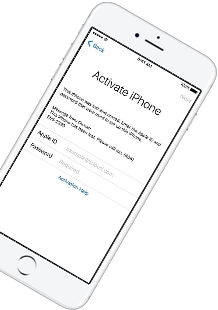
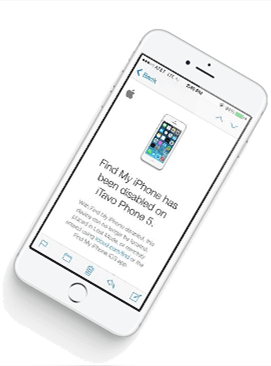
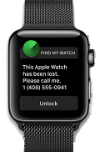
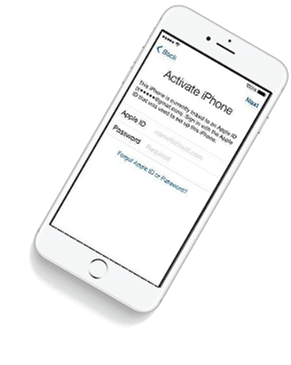
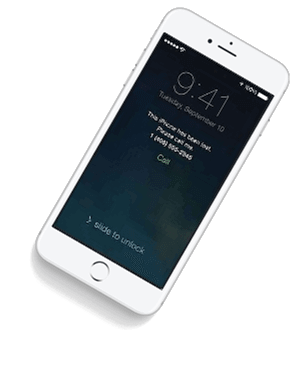


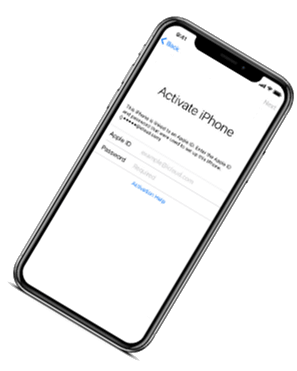

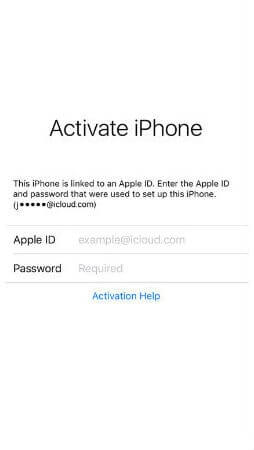
If you have forgotten your apple id or you bought a used iPhone from ebay/walmart and the original owner has enabled "Find My Phone" feature accidentally or purposely and you don't know how to contact him or unlock your device then you are on right place.
iCloud Spider will not only help you to unlock your iPhone but it will also remove any icloud activation lock (e.g. Find My Phone) from your device forever.
Unlocking iPhone made easy with iCloud Spider. You don't have to install iCloud Spider on your PC to unlock your iPhone/iPad. Read the instructions below to learn how to use our icloud unlock software.
Download & run iCloud Spider on your PC. (You can unlock just one device by IMEI in free version of iCloud Spider)
Connect your locked iphone/ipad to your pc via usb or type your phone's imei in iCloud Spider and hit the "Unlock This Device" button.
iCloud Spider will permanently unlock your locked iphone/ipad in just few minutes depending on your internet speed.
iCloud Spider is multi-devices & multi-OS supported. You can download & use IS(iCloud Spider) on Windows and MAC. iOS and Android version will be added soon.
Use iCloud Spider Web-based Tool: Click Here
Use Online FRP Lock Removal App: Click Here
See the working of our icloud unlocker tool below. It's easy to unlock any iPhone/iPad within seconds.
Unlock any iCloud locked device with the ease of our iCloud activation lock removal software at very affordable prices.
While the router is powered on, use a paperclip to hold the button down for . The lights will flash, and the unit will reboot. 2. Access the Admin Interface How do I set up and install my router? | D-Link UK
Your main router must be powered on and broadcasting a functional Wi-Fi signal.
Setting up your in repeater mode is a practical way to breathe new life into an older router, allowing you to extend your Wi-Fi signal to dead zones in your home without running long Ethernet cables. This configuration enables the DIR-850L to pick up your existing Wi-Fi signal and re-broadcast it, effectively doubling your range. Prerequisites for Setup Before beginning, ensure you have the following:
To avoid conflicts with previous settings, reset the DIR-850L to its factory defaults.
Ensure the device is powered on.
It is highly recommended to perform the initial setup via an Ethernet cable connected to one of the LAN ports on the DIR-850L for stability. Step-by-Step Configuration Guide 1. Perform a Factory Reset
Locate the pinhole on the bottom or back of the router.
While the router is powered on, use a paperclip to hold the button down for . The lights will flash, and the unit will reboot. 2. Access the Admin Interface How do I set up and install my router? | D-Link UK
Your main router must be powered on and broadcasting a functional Wi-Fi signal.
Setting up your in repeater mode is a practical way to breathe new life into an older router, allowing you to extend your Wi-Fi signal to dead zones in your home without running long Ethernet cables. This configuration enables the DIR-850L to pick up your existing Wi-Fi signal and re-broadcast it, effectively doubling your range. Prerequisites for Setup Before beginning, ensure you have the following:
To avoid conflicts with previous settings, reset the DIR-850L to its factory defaults.
Ensure the device is powered on.
It is highly recommended to perform the initial setup via an Ethernet cable connected to one of the LAN ports on the DIR-850L for stability. Step-by-Step Configuration Guide 1. Perform a Factory Reset
Locate the pinhole on the bottom or back of the router.
Our developers have now added support for iPad Pro 11.5". So download the latest version of IS to enjoy this feature...
Our developers have now added support for iPad Pro 11.5". So download the latest version of iCloud Spider... dir 850l repeater mode
Good News! Android & iOS versions of the iCloud Spider are in beta testing and will be available for free to our existing customers. While the router is powered on, use a
Here's the complete list of 25 great hidden iOS 12 features available for your iPhone, iPad and iPod touch. Access the Admin Interface How do I set